Operationalizing AI at Matroid

Designing model setup, performance evaluation, and bulk deployment so teams could move from building models to trusting them in production

Sole product designer at Matroid for 4 years. My work focused on three connected problems: model setup, performance evaluation, and bulk deployment. Teams had the tools but not the confidence to move fast.

The platform worked. Getting to production didn't.

Every friction point translated directly into slower enterprise onboarding. Setup, evaluation, and deployment lived across separate surfaces with no clear path forward.

Before: three isolated surfaces
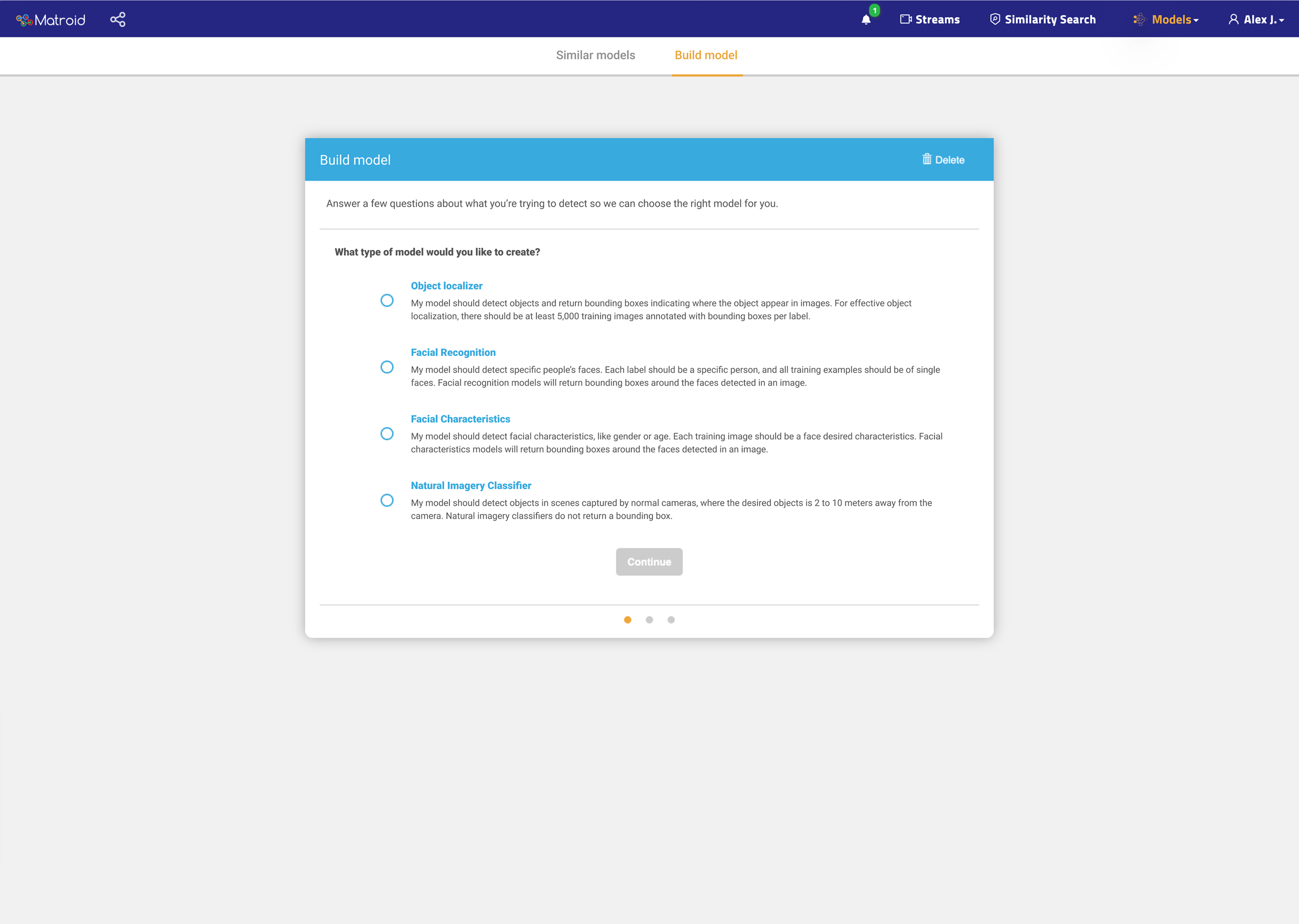
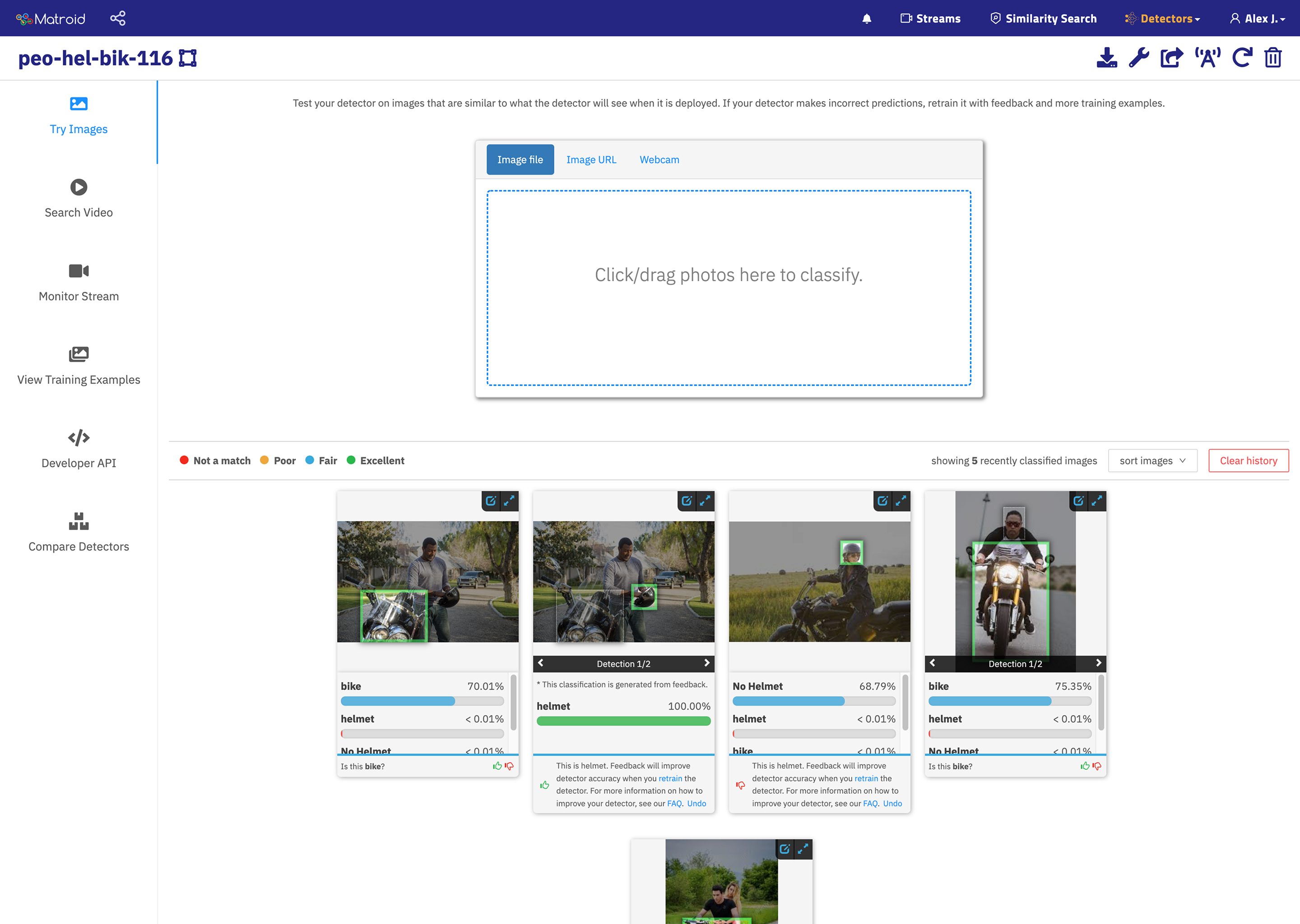
Before: Setup Original model setup with no clear primary action
Version history, training details, and deployment status lived in separate places with no single decision-ready view.
Before: Evaluation Original performance view with flat metric table
Precision, recall, and F1 in a flat table with no guidance on what was good, bad, or fixable.
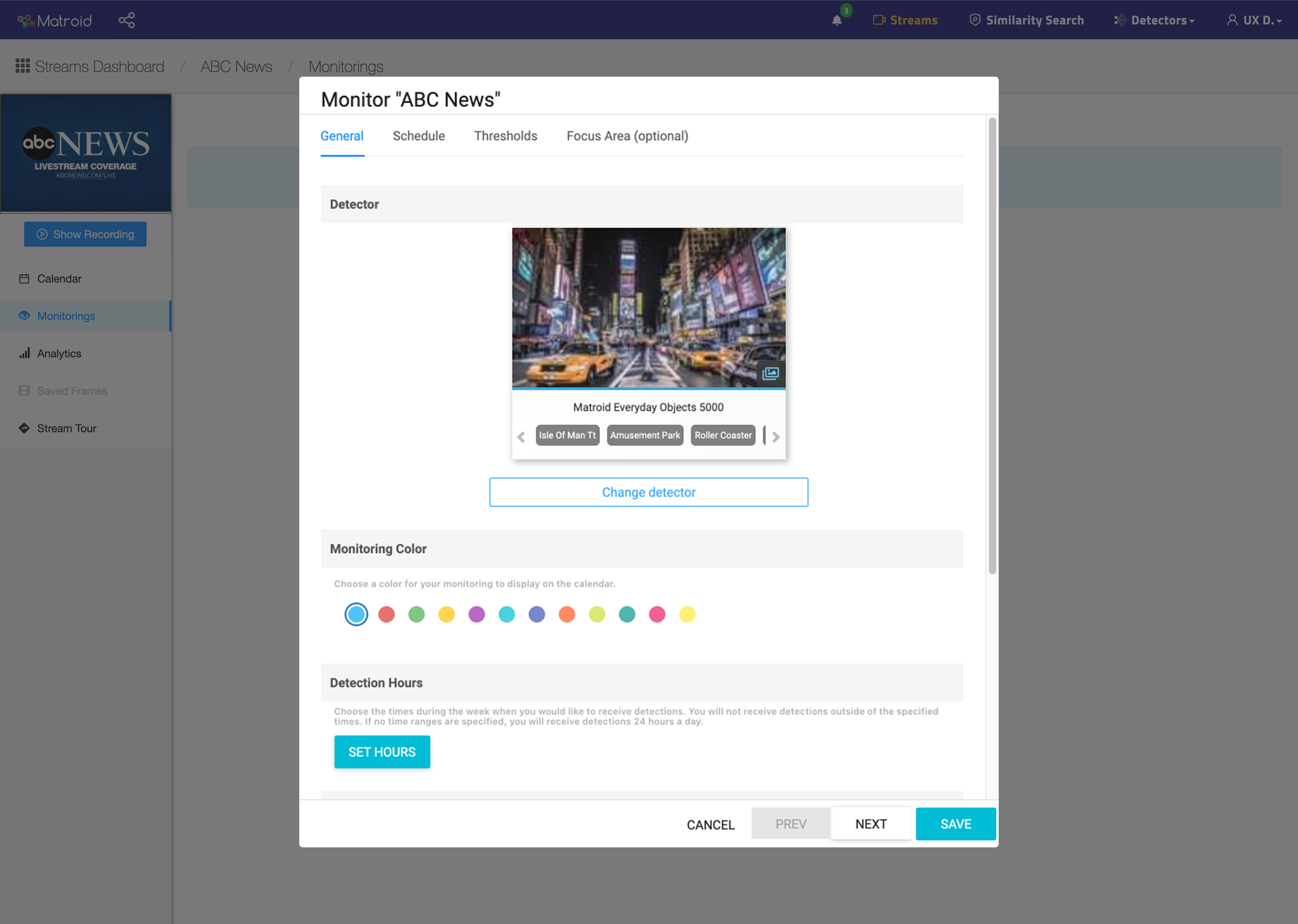
Before: Deployment Original single-stream deployment requiring manual repetition
Deploying to multiple streams meant repeating the same manual steps stream by stream, with no recovery path.

Not a missing-features problem

The data was there. The controls existed. What was missing was a way for the interface to help users act with confidence rather than caution.
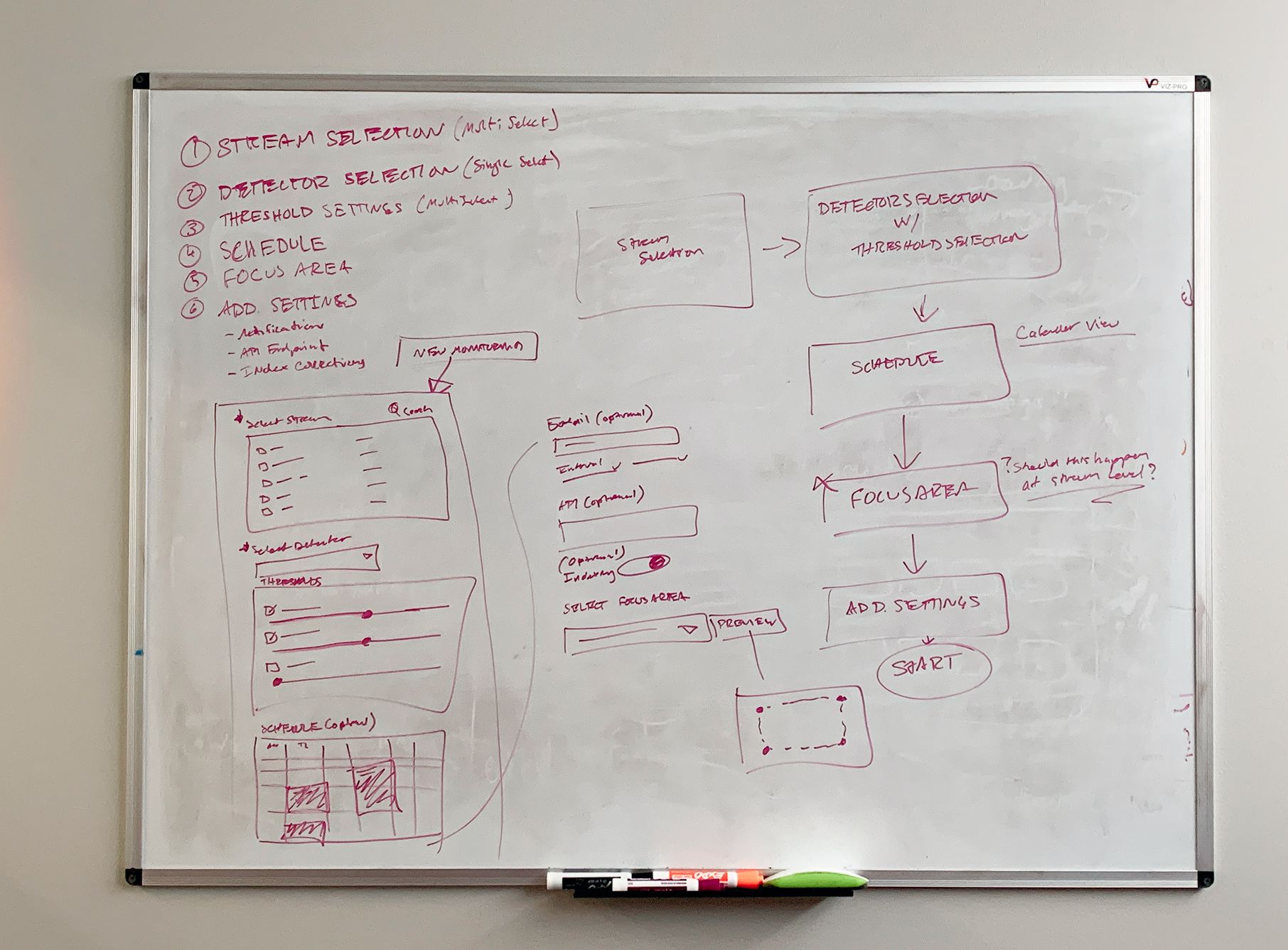
Whiteboard mapping the evaluation and deployment workflow
Early workflow mapping: tracing where teams lost time and confidence across setup, evaluate, and deploy
Chapter 01 of 03

Model Setup

Consolidating fragmented controls into a single decision-ready view

Teams stopped doing setup themselves

The primary CTA was buried at the bottom of the dashboard. A label interaction blocked completion 23% of the time. Model creation was being routed through Matroid's own engineers.
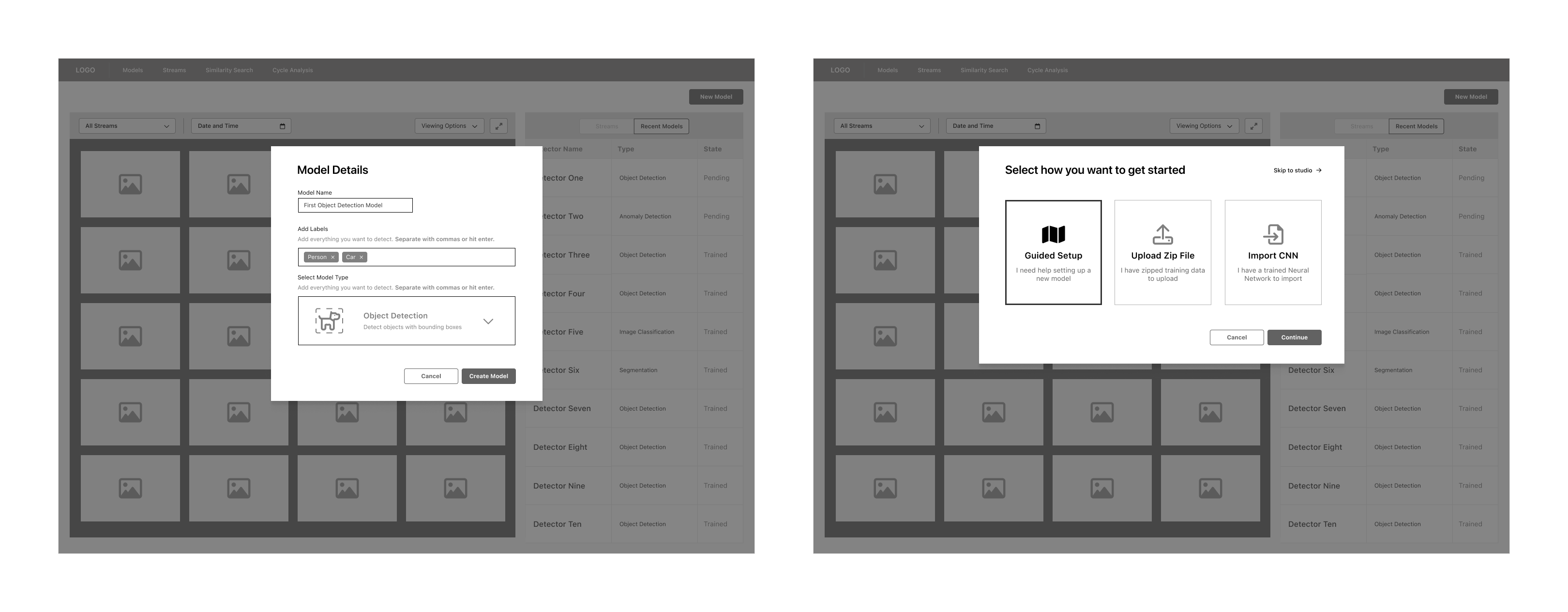
Wireframe explorations for the model setup flow
Wireframe explorations: from a multi-step wizard to a simplified form

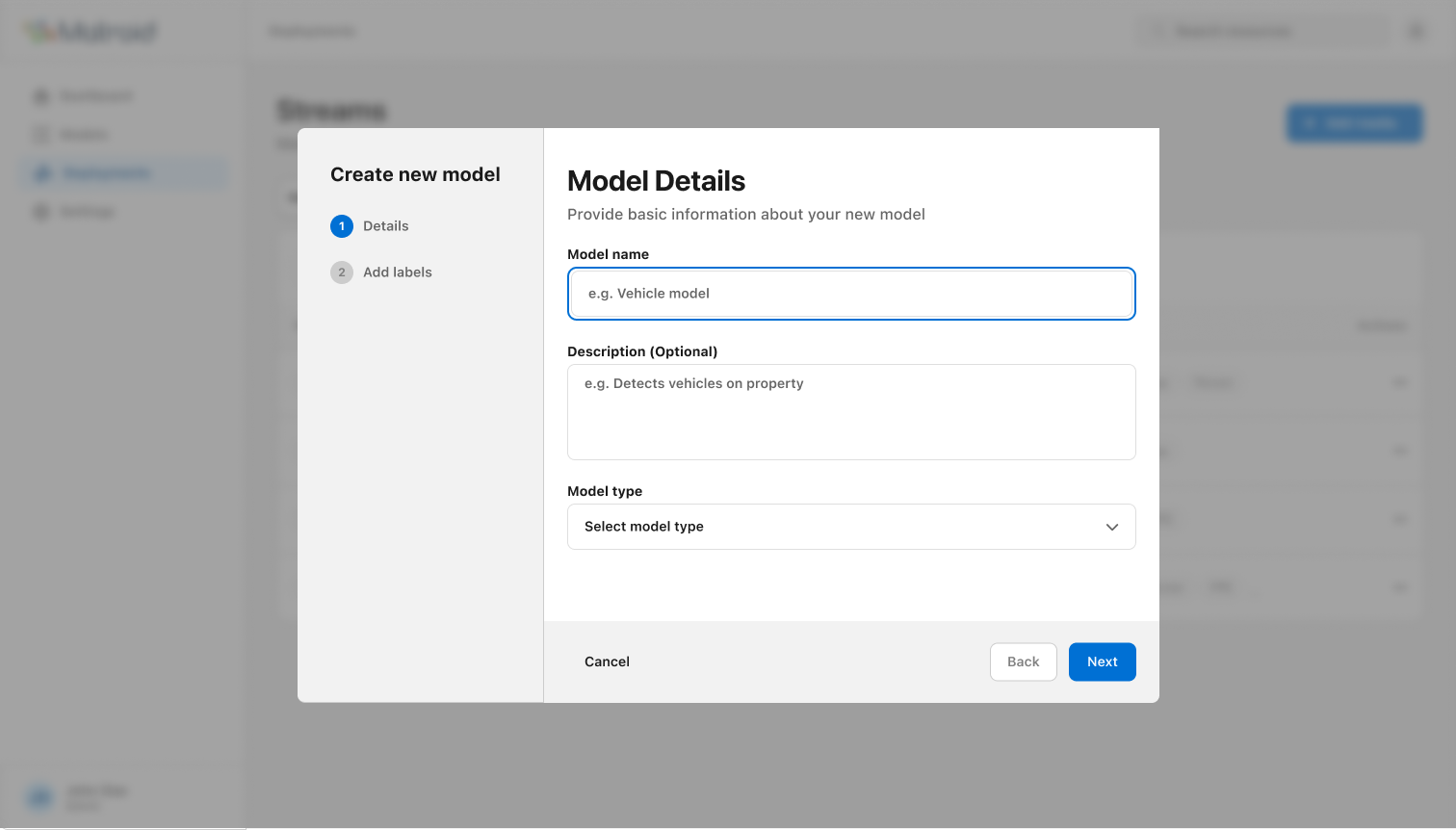
Scrapped the wizard. Shipped a 2-step form.

Research showed the problem wasn't education, it was effort. Two focused steps, smart defaults, no unnecessary decisions. Cognitive load dropped, and so did error rates.
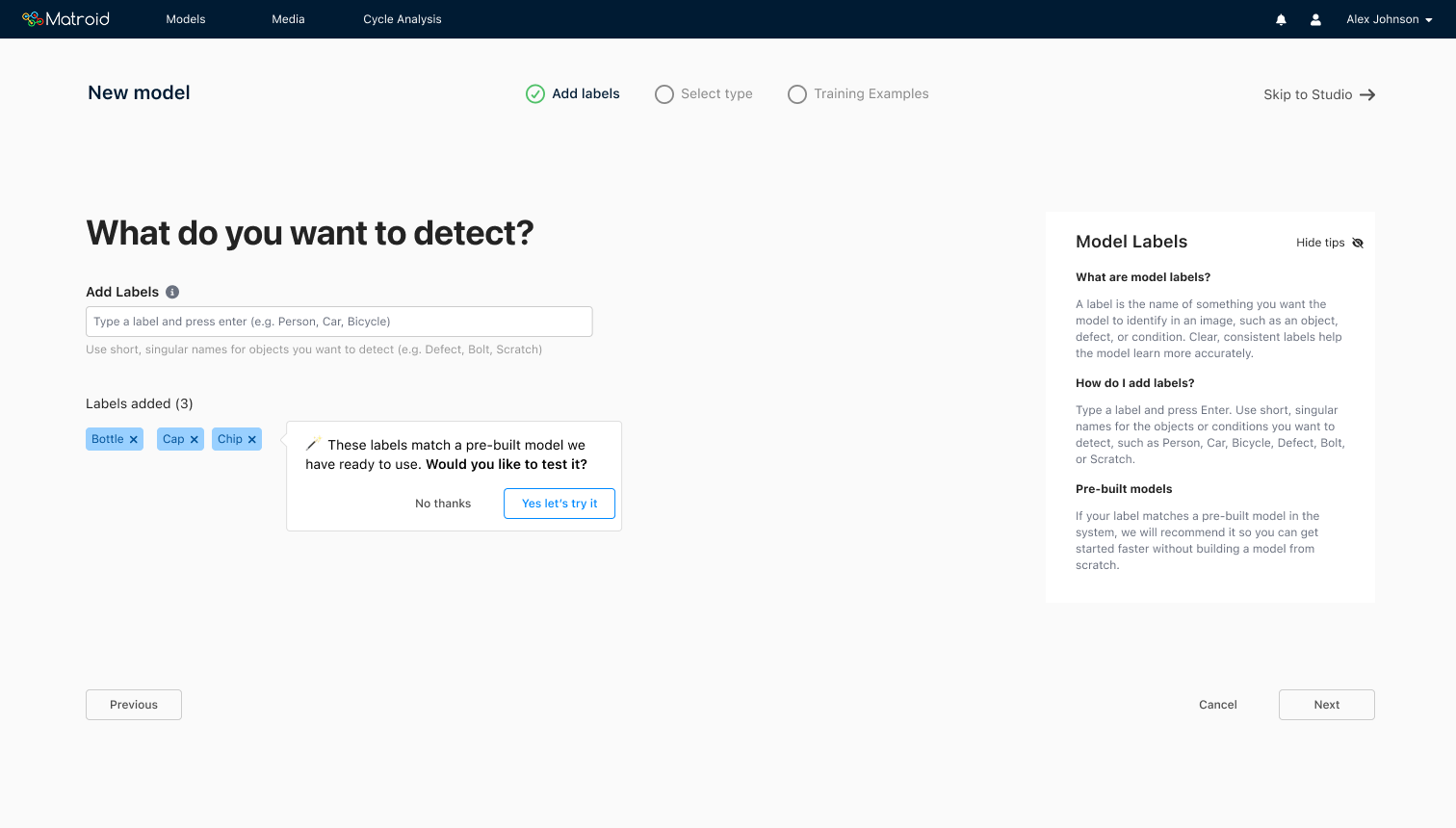
Explored: Guided Wizard Multi-step guided wizard for model setup
Thorough but slow enough that users abandoned it before finishing.
Shipped: Simplified Form Simplified 2-step model setup form
Two focused steps, smart defaults, no unnecessary decisions. Time on task dropped from ~4 minutes to ~19 seconds.
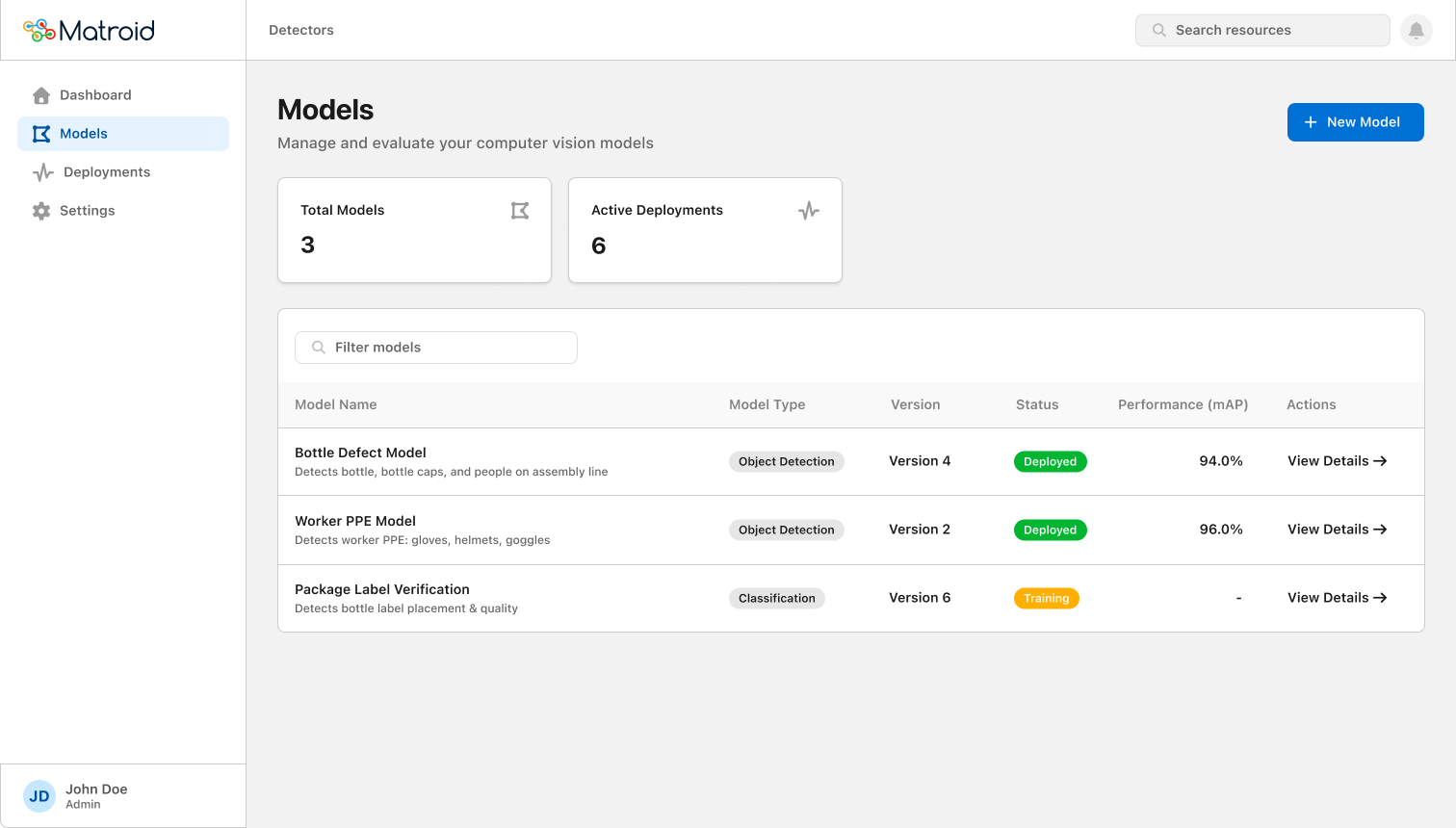
Redesigned models list showing model name, type, version, status, and performance
Models list: type, version, status, and performance in a single scannable view
Chapter 02 of 03

Performance Evaluation

Replacing raw numbers with contextual signals users could actually act on

Weeks in PoC because no one could tell if the model was ready

A precision score of 0.87 means nothing without context. Users tuned thresholds before understanding what the model was getting wrong.

Lead with failure examples, not failure rates

Paired every metric with inline failure examples, directly next to the score. That changed the question from "is this number good?" to "can I live with these failures?"
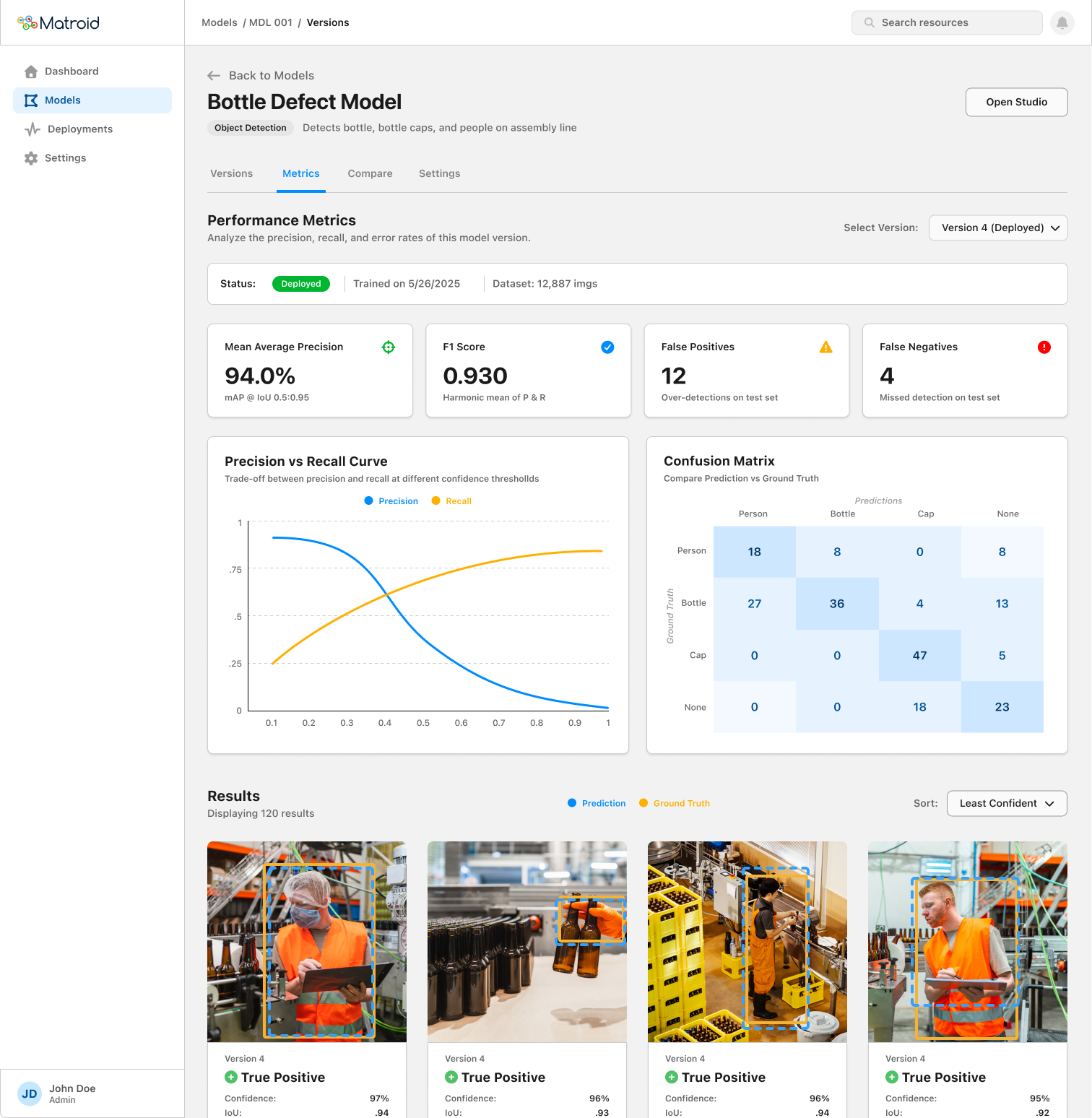
Redesigned performance evaluation screen with metric cards, precision-recall curve, confusion matrix, and inline failure examples
Performance screen: metric cards, precision vs. recall curve, confusion matrix, and failure examples sorted by least confident
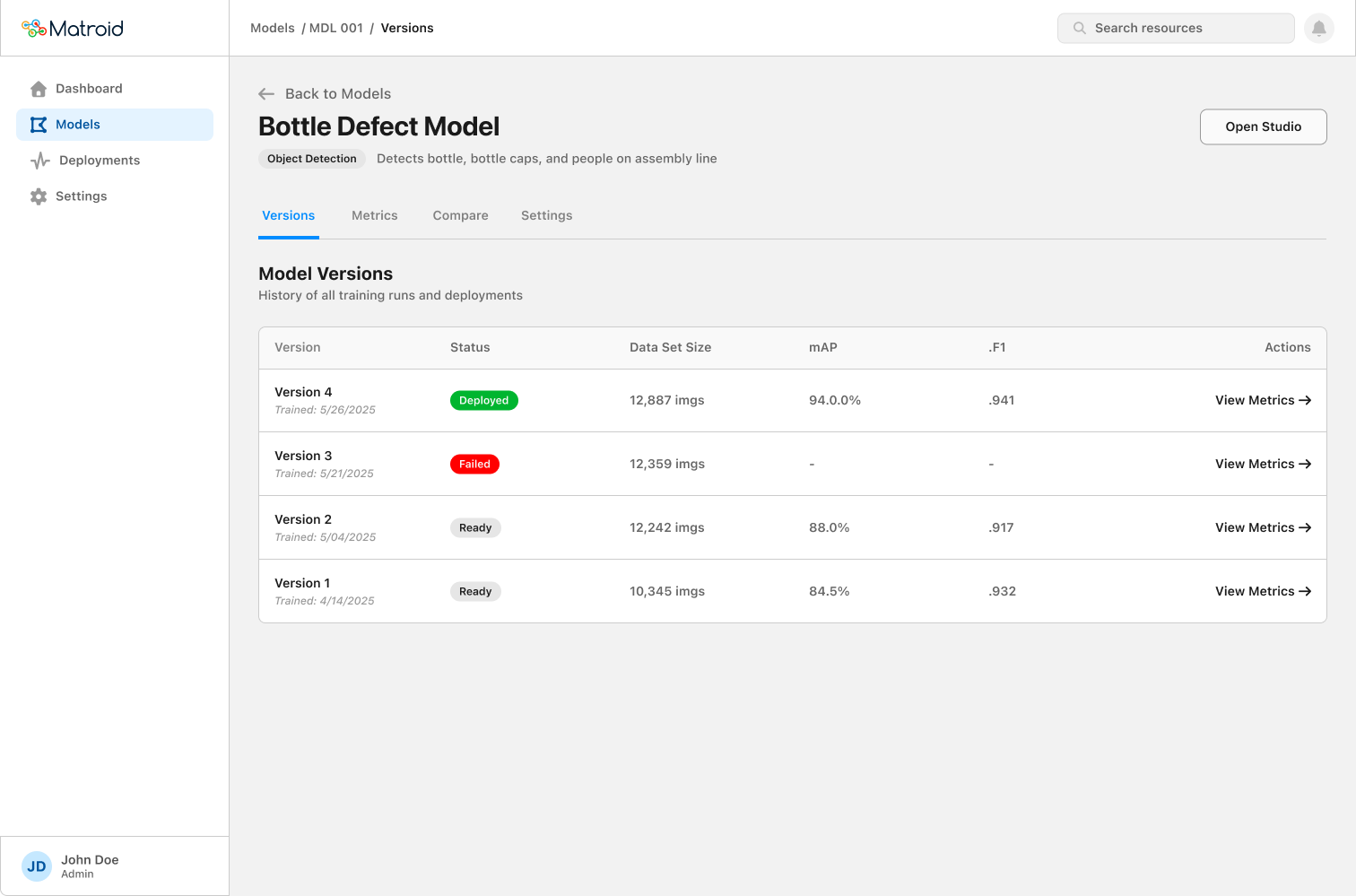
Model Versions Model versions table showing training history with status and performance per version
Version history with status, dataset size, and performance metrics in a single table.
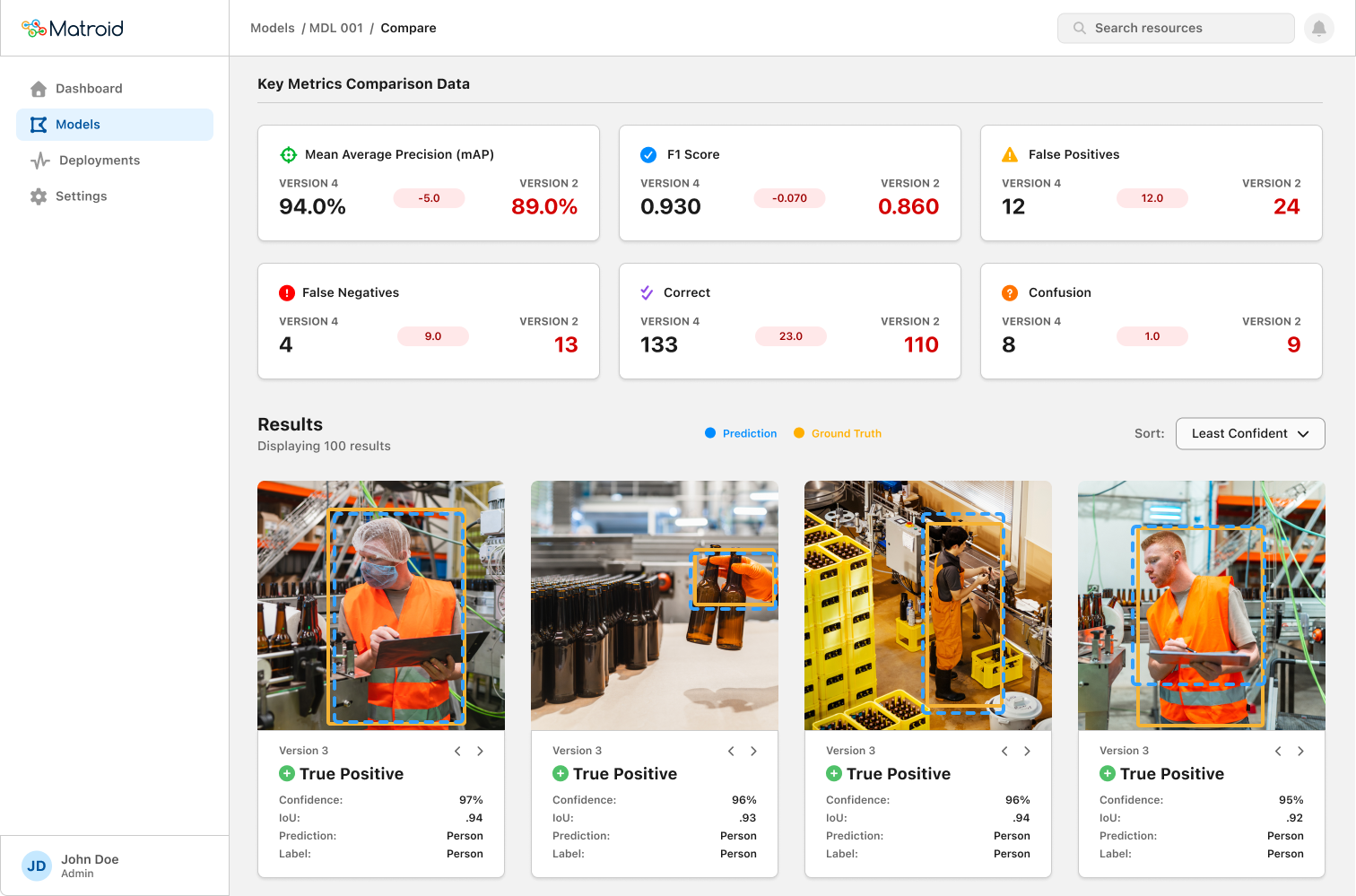
Compare Versions Side-by-side version comparison with delta indicators showing metric changes between versions
Delta indicators make the improvement story scannable. Red values flag where an older version underperforms.
Chapter 03 of 03

Bulk Deployment

Making error recovery obvious before optimizing for speed

The constraint was 1:1. One model, one stream, per deployment.

Enterprise teams needed to push a single model across dozens of camera feeds. The product required a separate deployment for each stream, which meant repeating the entire flow every time. At scale, teams stopped trying.
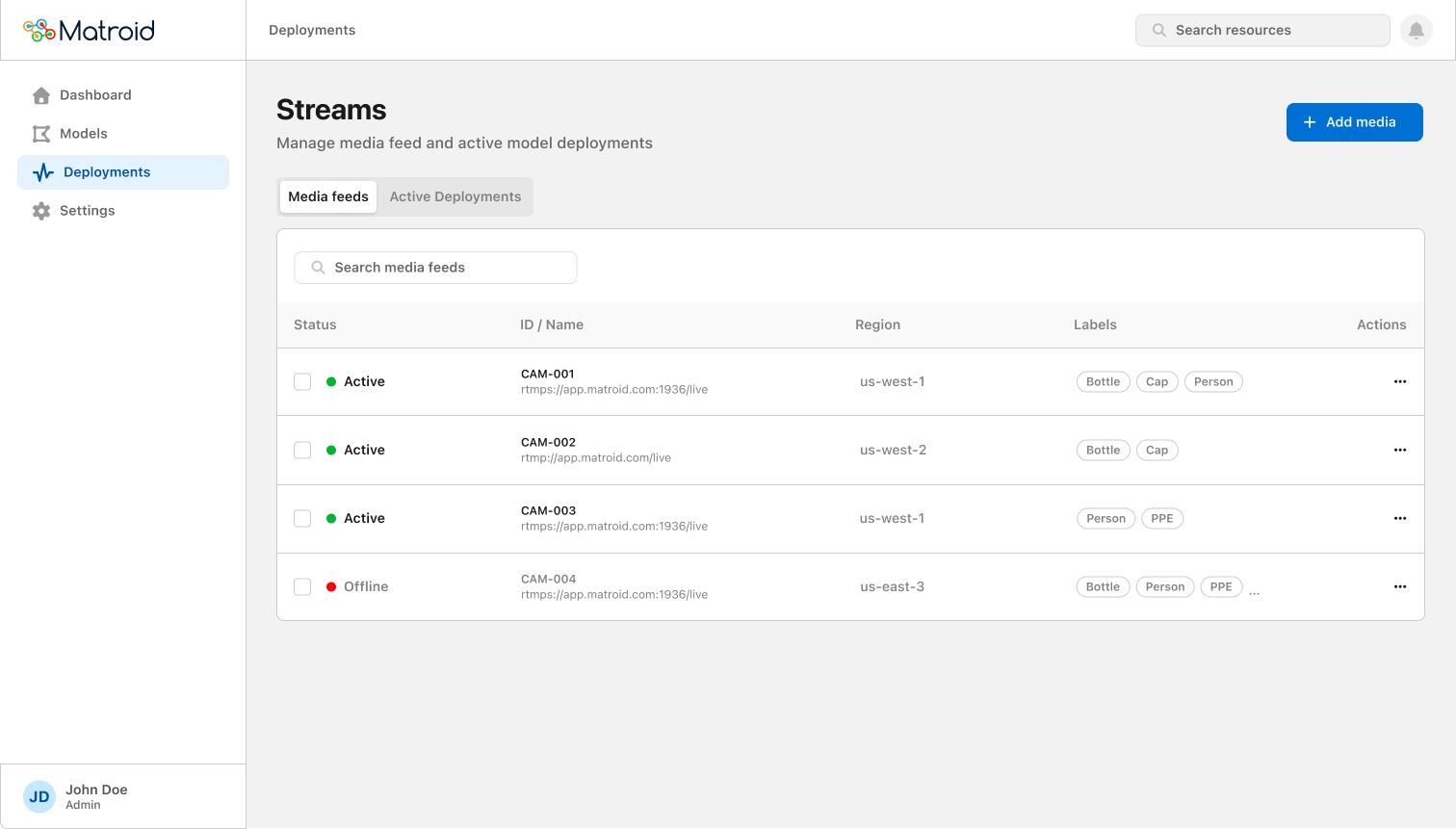
Streams list showing active camera feeds with labels and status
Streams list: status, feed ID, region, and active labels at a glance before starting a deployment

One deployment. Many streams.

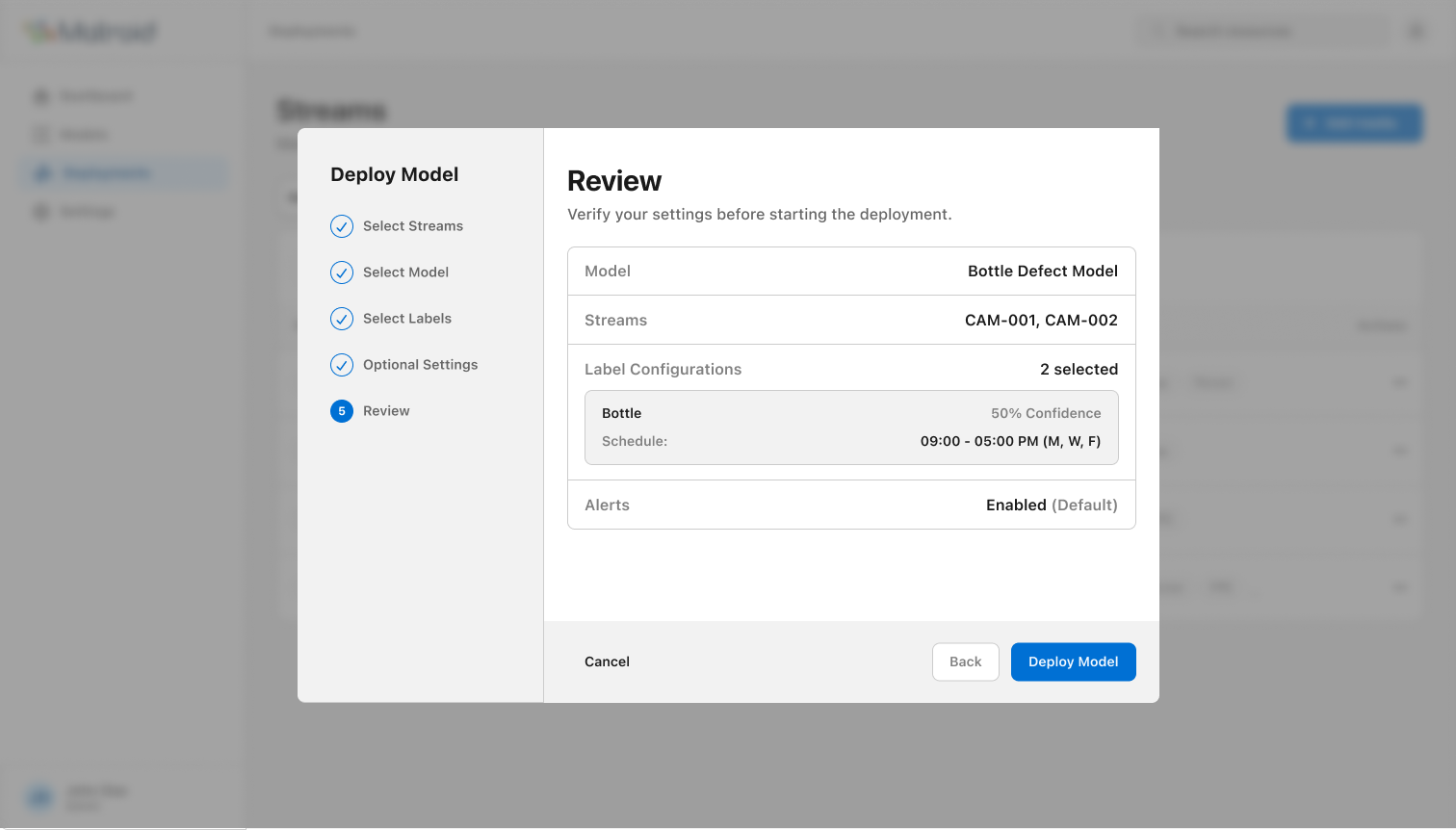
A bulk deployment flow that lets teams select a model, choose multiple streams, configure confidence thresholds per label, and review the full configuration before committing. Deploying to 20 streams became the same amount of work as deploying to one.
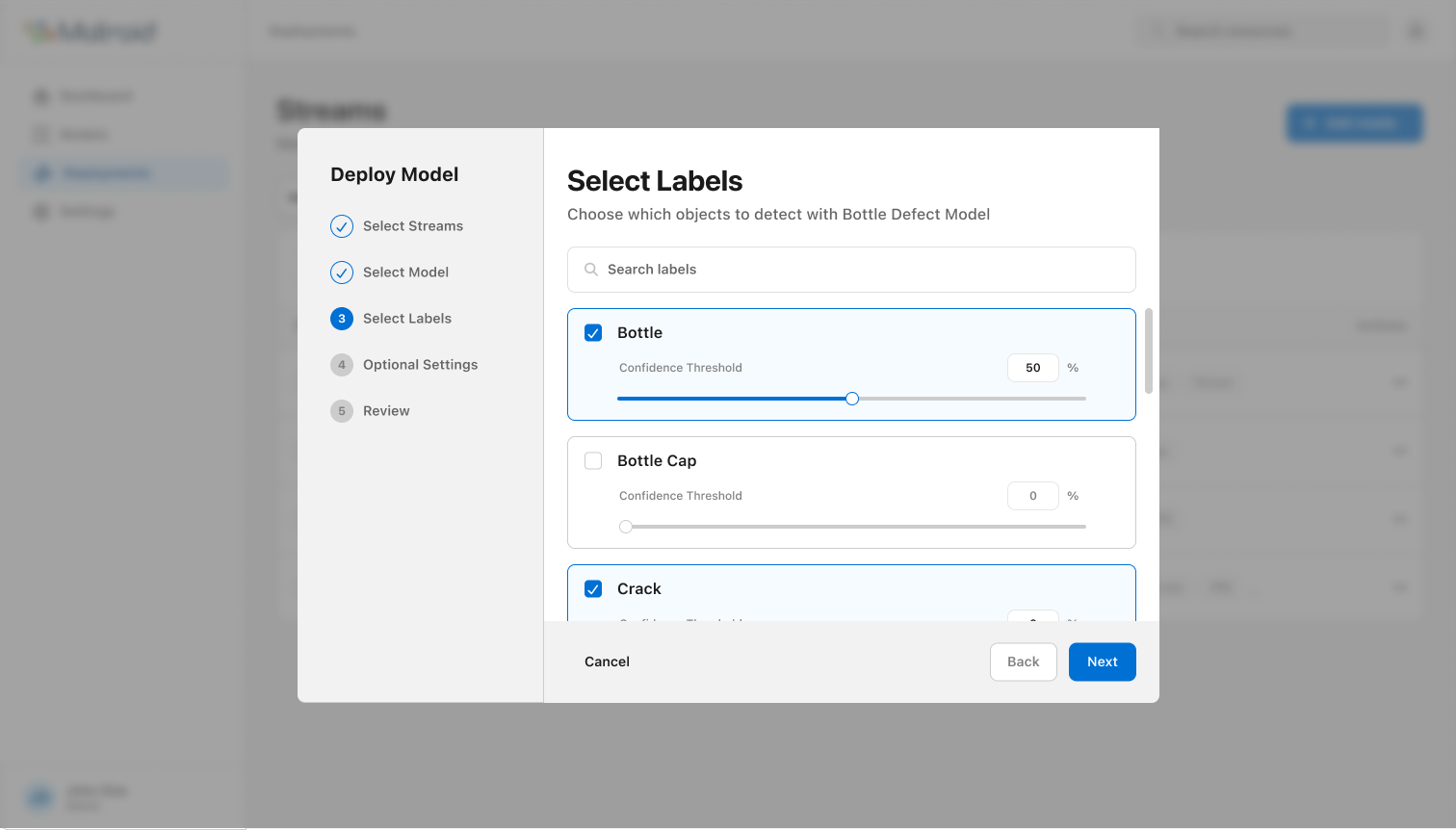
Step 3: Select Labels Label selection step with per-label confidence threshold sliders
Per-label confidence thresholds set inline during deployment, not buried in settings.
Step 5: Review Review deployment step listing model, specific stream IDs, label configurations, and alerts before committing
Review lists specific stream IDs, not just a count. Users verify exactly where the model will run before committing.

Faster to production. Less wasted time. More confident teams.

All three shipped. Reduced support load and removed the top friction point from pre-sale demos.

3x faster deployment readiness, from 3 months to 1 month average
70% faster time-to-deploy across multi-stream rollouts
2:30 minutes to diagnose a performance issue, down from 8:00
20% fewer blind retrains caused by misconfigured thresholds